
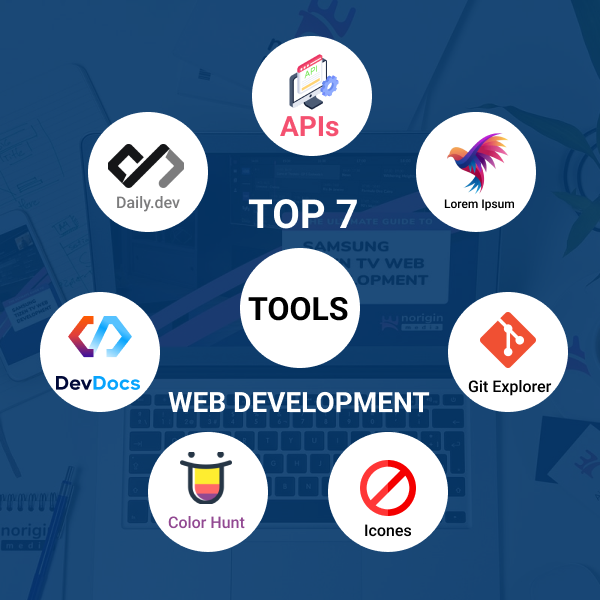
Top 7 Useful Tools for Web Developers (Must Use)
Advertisement
Top 7 Useful Tools for Web Developers
Web development is not just about writing code — it’s about working smartly and efficiently. With the right tools, web developers can save time, reduce errors, improve design quality, and stay updated with the latest trends in technology.
Whether you are a beginner, frontend developer, backend developer, or full-stack developer, using the right set of tools can significantly enhance your productivity and workflow.
In this article, we will explore the Top 7 useful tools for web developers that help in development, learning, debugging, design, version control, and content creation. These tools are widely used by professionals and are highly recommended for modern web development.
Why Tools Are Important for Web Developers?
Tools play a crucial role in a web developer’s daily work because they:
- Improve development speed
- Reduce repetitive tasks
- Enhance code quality
- Help in learning and documentation
- Simplify design and UI work
- Improve collaboration and version control
Using the right tools allows developers to focus more on logic and creativity instead of manual work.
Top 7 Useful Tools for Web Developers (List)
| Serial No | Tool Name | Website |
|---|---|---|
| #1 | Public APIs | Website |
| #2 | Daily.dev | Website |
| #3 | DevDocs | Website |
| #4 | Color Hunt | Website |
| #5 | Icônes | Website |
| #6 | Git Explorer | Website |
| #7 | Lorem Ipsum & Lorem Picsum | Website |
Top 7 Useful Tools Explained
1. Public APIs
Public APIs is one of the most valuable resources for web developers. It provides a collaborative list of 1400+ free APIs, curated and maintained by developers.
These APIs are categorized into areas such as Animals, Books, Business, Cryptocurrency, Development tools, Entertainment, Music, News, Science, Security, Sports, and Weather.
Public APIs are extremely useful when building demo projects, practicing API integration, creating real-world applications, or exploring new ideas quickly.
2. Daily.dev
Daily.dev is a powerful tool for developers who want to stay updated with the latest tech news and trends. It acts as a personalized developer news feed where you can read programming articles, tool reviews, coding tips, and industry updates.
Available as a browser extension and website, it helps developers learn continuously, discover new technologies, and improve problem-solving skills.
3. DevDocs
DevDocs is an essential tool for web developers who frequently work with documentation. It is a fast, clean, and offline-capable documentation aggregator that combines docs for HTML, CSS, JavaScript, React, Vue, Angular, Node.js, Python, and more.
Instead of multiple tabs, DevDocs provides everything in one place, significantly improving coding efficiency.
4. Color Hunt
Color Hunt is a simple yet powerful tool for UI/UX designers and frontend developers. It provides beautiful, curated color palettes and ready-to-use color combinations for modern UI designs.
Using Color Hunt ensures your design looks professional and visually appealing across websites and mobile apps.
5. Icônes
Icônes is a powerful icon library that provides a massive collection of modern and clean icons in SVG and Iconify formats.
Icons are essential for modern web design, and Icônes makes it easy to integrate high-quality, lightweight icons into web apps, dashboards, and UI components.
6. Git Explorer
Git Explorer is a beginner-friendly tool designed to help developers understand Git commands easily. Instead of memorizing commands, developers can search for actions like "undo commit" or "create branch" to get the exact command needed.
It makes version control simple, practical, and less intimidating for beginners.
7. Lorem Ipsum & Lorem Picsum
During web development, placeholder content is essential for testing layouts. Lorem Ipsum provides dummy text, while Lorem Picsum provides random placeholder images.
These tools help developers visualize the final layout, test responsiveness, and present projects to clients before real content is available.
Benefits of Using These Tools
Using these tools helps web developers save time, improve design quality, learn faster, and build professional projects. They are suitable for both beginners and experienced professionals.
FAQs – Top 7 Useful Tools for Web Developers
1. Are these tools free to use?
Yes, most of these tools are completely free or offer free versions suitable for developers.
2. Which tool is best for beginners?
Git Explorer, DevDocs, and Lorem Ipsum are excellent tools for beginners.
3. Can these tools improve productivity?
Absolutely. These tools reduce manual effort and help developers focus on coding and logic.
4. Are these tools useful for professional developers?
Yes. Even experienced developers use these tools daily in real-world projects.
5. Do I need to use all tools?
No. You can choose tools based on your workflow and development needs.
Conclusion
Using the right tools is just as important as learning programming languages. These Top 7 useful tools for web developers help improve productivity, simplify workflows, and enhance overall development quality.