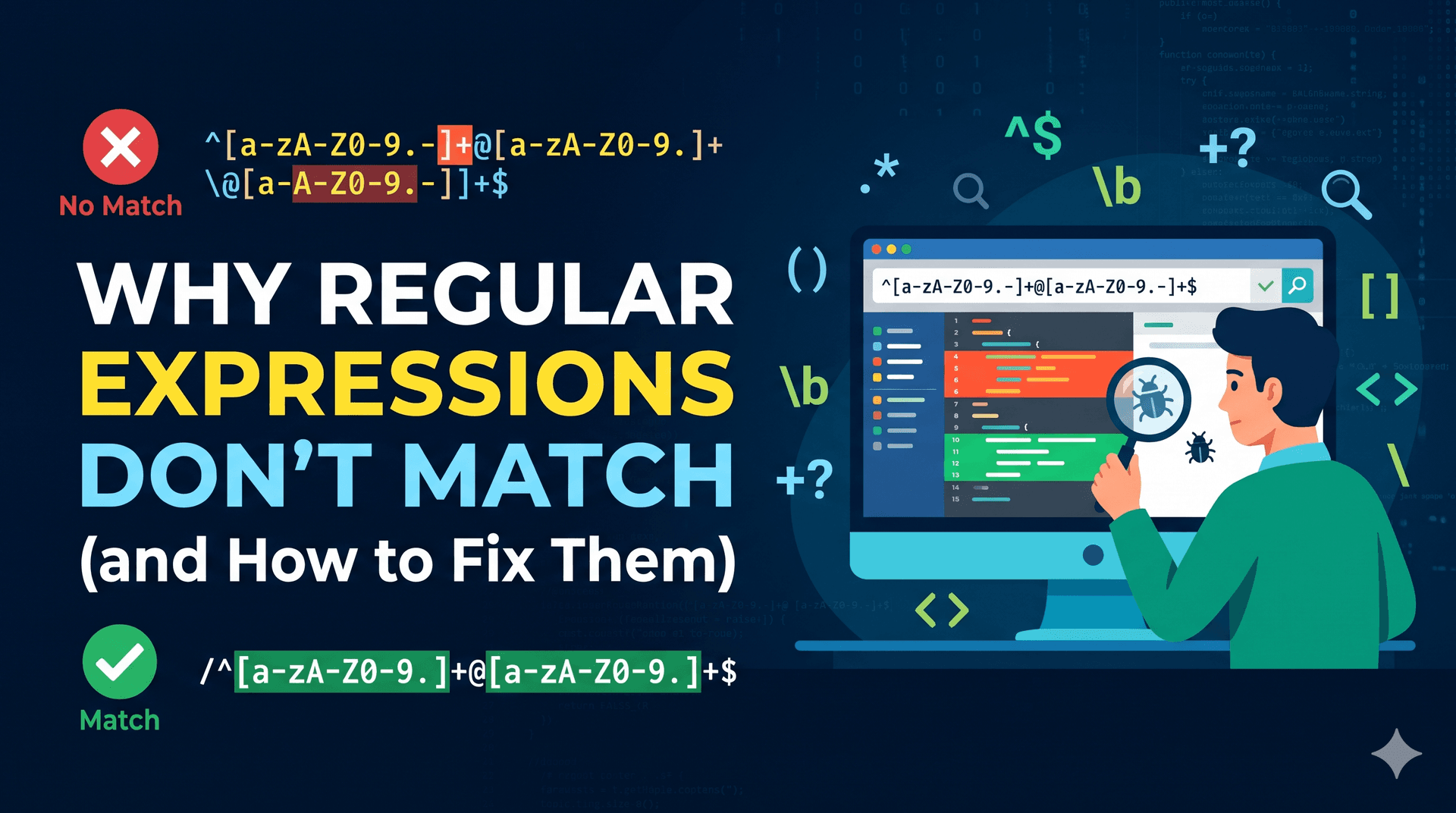
Using Regex in JavaScript, Python, and PHP: A Beginner's Practical Guide
Regular expressions, commonly known as regex, are powerful tools for pattern matching and text manipulation across various programming languages, including JavaScript, Python, and PHP. This guide offers beginners a practical overview, covering core concepts, syntax, and real-world examples for email, phone, and URL validation, equipping you with essential skills for common development tasks.
What is Regular Expression (Regex)?
At its core, a regular expression is a sequence of characters that defines a search pattern. When you search for data, you can use these patterns to find specific sequences of characters, validate input, extract information, or even perform complex text replacements. Think of regex as a highly advanced wildcard system.
For instance, if you need to check if a user's input is a valid email address, extract all phone numbers from a document, or replace all instances of a specific word regardless of its case, regex provides a concise and efficient way to achieve these tasks.
Regex Fundamentals: Syntax and Metacharacters
Regex patterns are built using a combination of literal characters (like 'a', '1', '!') and special characters called metacharacters. Understanding these metacharacters is key to writing effective patterns.
Common Metacharacters and Their Meanings
| Metacharacter | Description | Example Pattern | Matches |
|---|---|---|---|
. |
Any single character (except newline) | h.t |
"hat", "hot", "h!t" |
\d |
Any digit (0-9) | \d{3} |
"123", "000" |
\w |
Any word character (alphanumeric + underscore) | \w+ |
"word", "hello_123" |
\s |
Any whitespace character (space, tab, newline) | hello\s |
"hello " |
* |
Zero or more occurrences of the preceding character/group | a*b |
"b", "ab", "aaab" |
+ |
One or more occurrences of the preceding character/group | a+b |
"ab", "aaab" |
? |
Zero or one occurrence of the preceding character/group | colou?r |
"color", "colour" |
{n} |
Exactly n occurrences |
\d{4} |
"1234" |
{n,} |
At least n occurrences |
\d{3,} |
"123", "12345" |
{n,m} |
Between n and m occurrences (inclusive) |
a{1,3} |
"a", "aa", "aaa" |
[] |
A character set: matches any one of the characters inside | [aeiou] |
"a", "e", "i", "o", "u" |
[^] |
A negated character set: matches any character NOT inside | [^0-9] |
Any non-digit character |
^ |
Anchors the match to the beginning of the string/line | ^Hello |
"Hello World" |
$ |
Anchors the match to the end of the string/line | World$ |
"Hello World" |
| |
Alternation (OR operator) | cat|dog |
"cat", "dog" |
() |
Grouping and capturing | (ab)+ |
"ab", "abab" |
\ |
Escapes a metacharacter or forms a special sequence | \. |
Matches a literal dot "." |
Regex Flags/Modifiers
Flags modify the behavior of a regex search. Common flags include:
i(case-insensitive): Performs a case-insensitive match.g(global): Finds all matches in a string, not just the first one. (JavaScript only, implicitly global for some Python/PHP functions)m(multiline): Allows^and$to match the start/end of lines, not just the start/end of the entire string.
Regex in JavaScript: Methods and Examples
JavaScript provides two ways to create a regular expression: using a regex literal (/pattern/flags) or the RegExp constructor (new RegExp("pattern", "flags")).
Key JavaScript Regex Methods:
test(): Returnstrueorfalseif a match is found.exec(): Returns an array containing match information, ornullif no match.String.prototype.match(): Returns an array of all matches, ornull.String.prototype.replace(): Replaces matches with a specified string.String.prototype.search(): Returns the index of the first match, or-1.String.prototype.split(): Splits a string into an array using a regex as a delimiter.
JavaScript Example: Finding and Replacing Words
const text = "The quick brown fox jumps over the lazy dog. Fox is agile.";

// Test for existence (case-insensitive)
const pattern1 = /fox/i;
console.log(pattern1.test(text)); // true

// Find all occurrences (global, case-insensitive)
const pattern2 = /fox/gi;
console.log(text.match(pattern2)); // ["fox", "Fox"]

// Replace all occurrences
const pattern3 = /fox/gi;
const newText = text.replace(pattern3, "cat");
console.log(newText); // "The quick brown cat jumps over the lazy dog. cat is agile."
Regex in Python: re Module and Examples
Python's built-in re module provides comprehensive support for regular expressions. It's recommended to use raw strings (r"pattern") for regex patterns to avoid issues with backslashes.
Key Python re Module Functions:
re.match(pattern, string): Checks for a match only at the beginning of the string.re.search(pattern, string): Scans through the string for the first location where the regex pattern produces a match.re.findall(pattern, string): Returns a list of all non-overlapping matches.re.sub(pattern, repl, string): Replaces occurrences of the pattern in the string withrepl.re.split(pattern, string): Splits the string by the occurrences of the pattern.re.compile(pattern, flags): Compiles a regex pattern into a regex object, useful for repeated use.
Python Example: Extracting Numbers
import re

text = "Items: Apple (10), Banana (5), Orange (7)"

# Find all numbers
pattern = r"\d+"
numbers = re.findall(pattern, text)
print(numbers) # ['10', '5', '7']

# Search for the first number followed by a word
match = re.search(r"(\d+), (\w+)", text)
if match:
    print(match.group(0)) # "10), Banana" - full match
    print(match.group(1)) # "10" - first capturing group
    print(match.group(2)) # "Banana" - second capturing group

# Replace all numbers with "X"
new_text = re.sub(r"\d+", "X", text)
print(new_text) # "Items: Apple (X), Banana (X), Orange (X)"
Regex in PHP: preg_* Functions and Examples
PHP uses Perl Compatible Regular Expressions (PCRE) via its preg_* functions. Regex patterns in PHP must be enclosed within delimiters, commonly /pattern/, but can also be #pattern# or ~pattern~.
Key PHP preg_* Functions:
preg_match(pattern, subject, matches): Performs a global regex match. Returns1if a match is found,0otherwise. The$matchesarray contains results.preg_match_all(pattern, subject, matches): Performs a global regex match. Returns the number of full matches found.preg_replace(pattern, replacement, subject): Replaces all occurrences of the pattern with the replacement string.preg_split(pattern, subject): Splits a string into an array by a regular expression.
PHP Example: Validating and Extracting Tags
<?php
$text = "This is a #programming article about #regex in #webdev.";

// Check if string contains any hashtag
$pattern1 = '/#\w+/';
if (preg_match($pattern1, $text)) {
    echo "String contains hashtags.\n"; // Output: String contains hashtags.
}

// Extract all hashtags
$pattern2 = '/#(\w+)/';
preg_match_all($pattern2, $text, $matches);
print_r($matches[1]); // Output: Array ( [0] => programming [1] => regex [2] => webdev )

// Replace hashtags with bold tags
$newText = preg_replace($pattern2, '<b>#$1</b>', $text);
echo $newText; // Output: This is a <b>#programming</b> article about <b>#regex</b> in <b>#webdev</b>.
?>
Practical Regex Patterns for Common Scenarios
Here are some practical regex patterns that you can test right away for common data types.
Email Address Validation
Email validation with regex can be complex due to the RFC standards. This pattern is a commonly used, simplified version for general validation. For strict RFC compliance, a much longer and more complex pattern is required, often deemed overkill for most applications.
^[a-zA-Z0-9._%+-]+@[a-zA-Z0-9.-]+\.[a-zA-Z]{2,}$
^: Start of the string.[a-zA-Z0-9._%+-]+: One or more alphanumeric characters, dots, underscores, percents, pluses, or hyphens for the username part.@: Literal at symbol.[a-zA-Z0-9.-]+: One or more alphanumeric characters, dots, or hyphens for the domain name.\.: Literal dot before the top-level domain.[a-zA-Z]{2,}: Two or more letters for the top-level domain (e.g., com, org, net).$: End of the string.
JavaScript Email Example
const emailPattern = /^[a-zA-Z0-9._%+-]+@[a-zA-Z0-9.-]+\.[a-zA-Z]{2,}$/;
console.log(emailPattern.test("test@example.com")); // true
console.log(emailPattern.test("invalid-email"));     // false
Python Email Example
import re
email_pattern = r"^[a-zA-Z0-9._%+-]+@[a-zA-Z0-9.-]+\.[a-zA-Z]{2,}$"
print(re.match(email_pattern, "user@domain.net")) # <re.Match object; ...>
print(re.match(email_pattern, "no-at-sign.com"))  # None
PHP Email Example
<?php
$emailPattern = '/^[a-zA-Z0-9._%+-]+@[a-zA-Z0-9.-]+\.[a-zA-Z]{2,}$/';
echo preg_match($emailPattern, "info@site.org") ? "Valid\n" : "Invalid\n"; // Valid
echo preg_match($emailPattern, "user@localhost") ? "Valid\n" : "Invalid\n"; // Invalid (TLD too short)
?>
Phone Number Validation (North American Format)
This pattern matches common North American phone number formats, including optional parentheses, hyphens, or spaces.
^\(?\d{3}\)?[-.\s]?\d{3}[-.\s]?\d{4}$
^: Start of the string.\(?: Optional opening parenthesis.\d{3}: Exactly three digits.\)?: Optional closing parenthesis.[-.\s]?: Optional hyphen, dot, or space separator.\d{3}: Exactly three digits.[-.\s]?: Optional hyphen, dot, or space separator.\d{4}: Exactly four digits.$: End of the string.
JavaScript Phone Example
const phonePattern = /^\(?\d{3}\)?[-.\s]?\d{3}[-.\s]?\d{4}$/;
console.log(phonePattern.test("123-456-7890"));  // true
console.log(phonePattern.test("(123) 456-7890")); // true
console.log(phonePattern.test("1234567890"));    // true
console.log(phonePattern.test("123-456-789"));   // false (too short)
Python Phone Example
import re
phone_pattern = r"^\(?\d{3}\)?[-.\s]?\d{3}[-.\s]?\d{4}$"
print(re.match(phone_pattern, "555.123.4567"))  # <re.Match object; ...>
print(re.match(phone_pattern, "555-1234"))      # None
PHP Phone Example
<?php
$phonePattern = '/^\(?\d{3}\)?[-.\s]?\d{3}[-.\s]?\d{4}$/';
echo preg_match($phonePattern, "123 456 7890") ? "Valid\n" : "Invalid\n"; // Valid
echo preg_match($phonePattern, "(123)456-7890") ? "Valid\n" : "Invalid\n"; // Valid
?>
URL Validation/Extraction
This pattern is designed to validate common URL formats, including HTTP/HTTPS protocols and various domain structures. For full URL parsing, browser APIs (like URL object in JS) or dedicated libraries are often more robust.
^(https?:\/\/)?([\da-z\.-]+)\.([a-z\.]{2,6})([\/\w \.-]*)*\/?$
^: Start of the string.(https?:\/\/)?: Optional "http://" or "https://".([\da-z\.-]+): Domain part, allowing digits, letters, dots, hyphens.\.: Literal dot.([a-z\.]{2,6}): Top-level domain (2 to 6 letters or dots for things like co.uk).([\/\w \.-]*)*: Optional path, allowing slashes, word characters, spaces, dots, hyphens.\/?: Optional trailing slash.$: End of the string.
JavaScript URL Example
const urlPattern = /^(https?:\/\/)?([\da-z\.-]+)\.([a-z\.]{2,6})([\/\w \.-]*)*\/?$/;
console.log(urlPattern.test("https://www.example.com")); // true
console.log(urlPattern.test("example.org/path/file.html")); // true
console.log(urlPattern.test("ftp://invalid.com")); // false (no ftp)
Python URL Example
import re
url_pattern = r"^(https?:\/\/)?([\da-z\.-]+)\.([a-z\.]{2,6})([\/\w \.-]*)*\/?$"
print(re.match(url_pattern, "dev.itquestionanswer.com")) # <re.Match object; ...>
print(re.match(url_pattern, "http://127.0.0.1/dashboard")) # <re.Match object; ...>
print(re.match(url_pattern, "just-a-string")) # None
PHP URL Example
<?php
$urlPattern = '/^(https?:\/\/)?([\da-z\.-]+)\.([a-z\.]{2,6})([\/\w \.-]*)*\/?$/';
echo preg_match($urlPattern, "https://github.com/user/repo") ? "Valid\n" : "Invalid\n"; // Valid
echo preg_match($urlPattern, "local-dev") ? "Valid\n" : "Invalid\n"; // Invalid
?>
Key Takeaways and Best Practices
- Start Simple: Begin with basic patterns and gradually add complexity.
- Test Thoroughly: Regex can be tricky. Use a regex tester to validate your patterns against various inputs.
- Understand Your Language: While core regex syntax is similar, implementation details and available functions vary between JavaScript, Python, and PHP.
- Balance Complexity: For highly complex validations (like RFC-compliant email), consider if a simple regex is sufficient or if a dedicated library or robust parsing logic would be more appropriate.
- Readability: Complex regex can become unreadable. Use comments (if supported by your language's regex engine, e.g., Python's
re.VERBOSEflag) or break them down into smaller, understandable parts. - Performance: Very complex or poorly written regex can lead to "catastrophic backtracking" and performance issues. Test with large inputs if performance is critical.
Regular expressions are an indispensable skill for developers. By mastering the fundamentals and practicing with real-world examples, you can significantly enhance your ability to process and manipulate text efficiently across different programming environments.
Advertisement