Practical Base64: Encoding and Decoding Data Across Languages and Tools
What is Base64 Encoding?
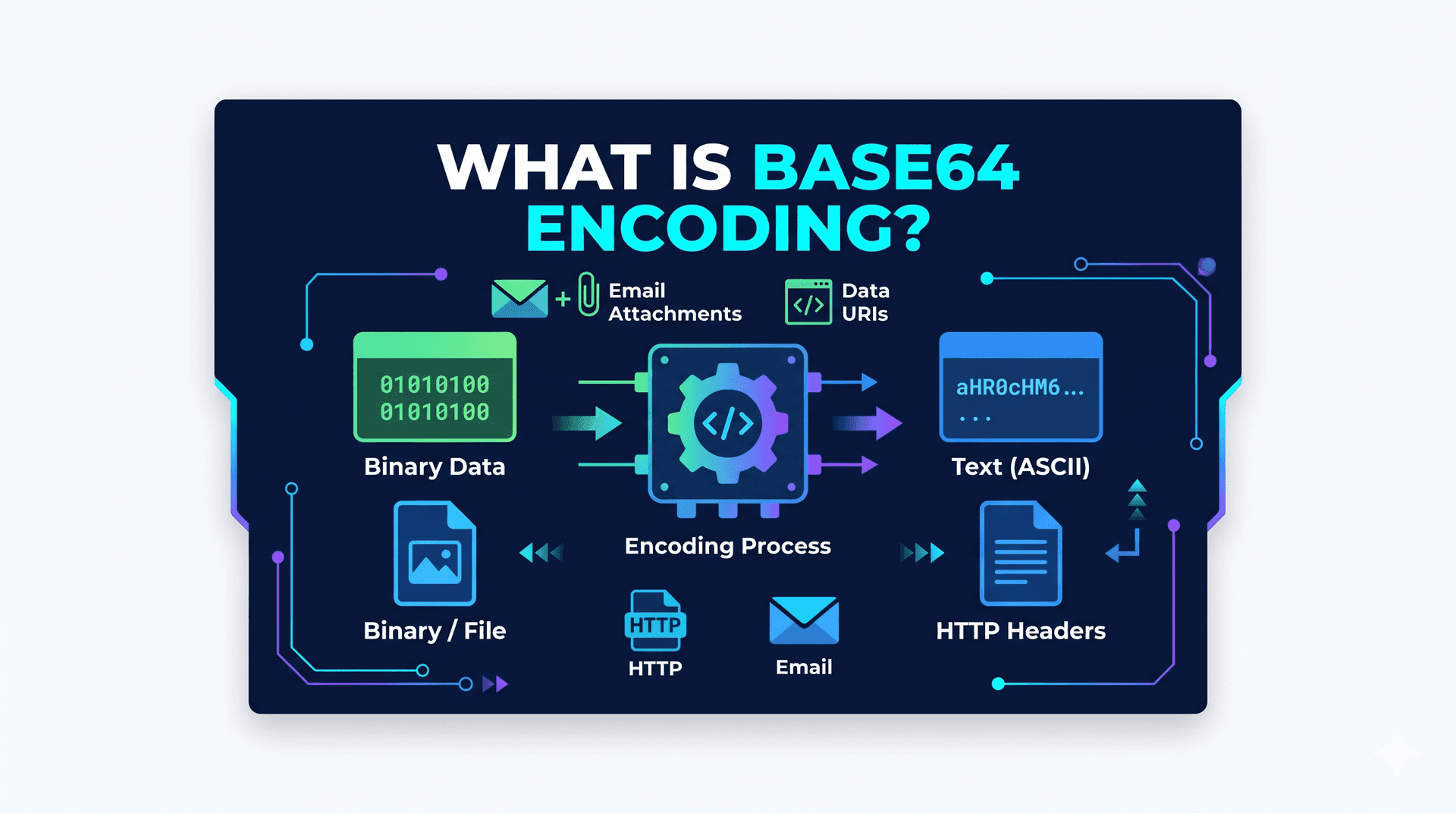
Base64 is a binary-to-text encoding scheme that represents binary data in an ASCII string format. Its primary purpose is to safely transmit data that might otherwise be corrupted or misinterpreted when sent over systems designed to handle textual information, such as email, HTTP forms, or XML. By converting arbitrary binary sequences into a limited set of 64 ASCII characters (A-Z, a-z, 0-9, +, /, and = for padding), Base64 ensures data integrity across various network protocols and storage mechanisms that may not be 8-bit clean.
Essentially, Base64 acts as a bridge, allowing binary payloads like images, audio files, or encrypted data to travel through text-oriented environments without loss or alteration. It's a standard defined in RFC 4648, widely adopted across the internet and computing landscape, facilitating data exchange where traditional binary transmission might pose challenges.
How Base64 Works (The Mechanics)
The core principle behind Base64 is converting groups of 3 bytes (24 bits) into groups of 4 Base64 characters (each representing 6 bits). Here's a simplified breakdown of the process:
- Group 3 Bytes: The input binary data is taken 3 bytes at a time. Each byte consists of 8 bits, so 3 bytes total 24 bits.
- Divide into 6-bit Chunks: These 24 bits are then divided into four 6-bit chunks.
- Map to Base64 Index: Each 6-bit chunk, which can represent a value from 0 to 63, is mapped to a specific character in the Base64 alphabet.
- Padding: If the original data length is not a multiple of 3 bytes, padding characters (
=) are added to the end of the output. If there's 1 byte left, two=characters are added. If there are 2 bytes left, one=character is added. This ensures the output is always a multiple of 4 characters and helps the decoder correctly reconstruct the original data length.
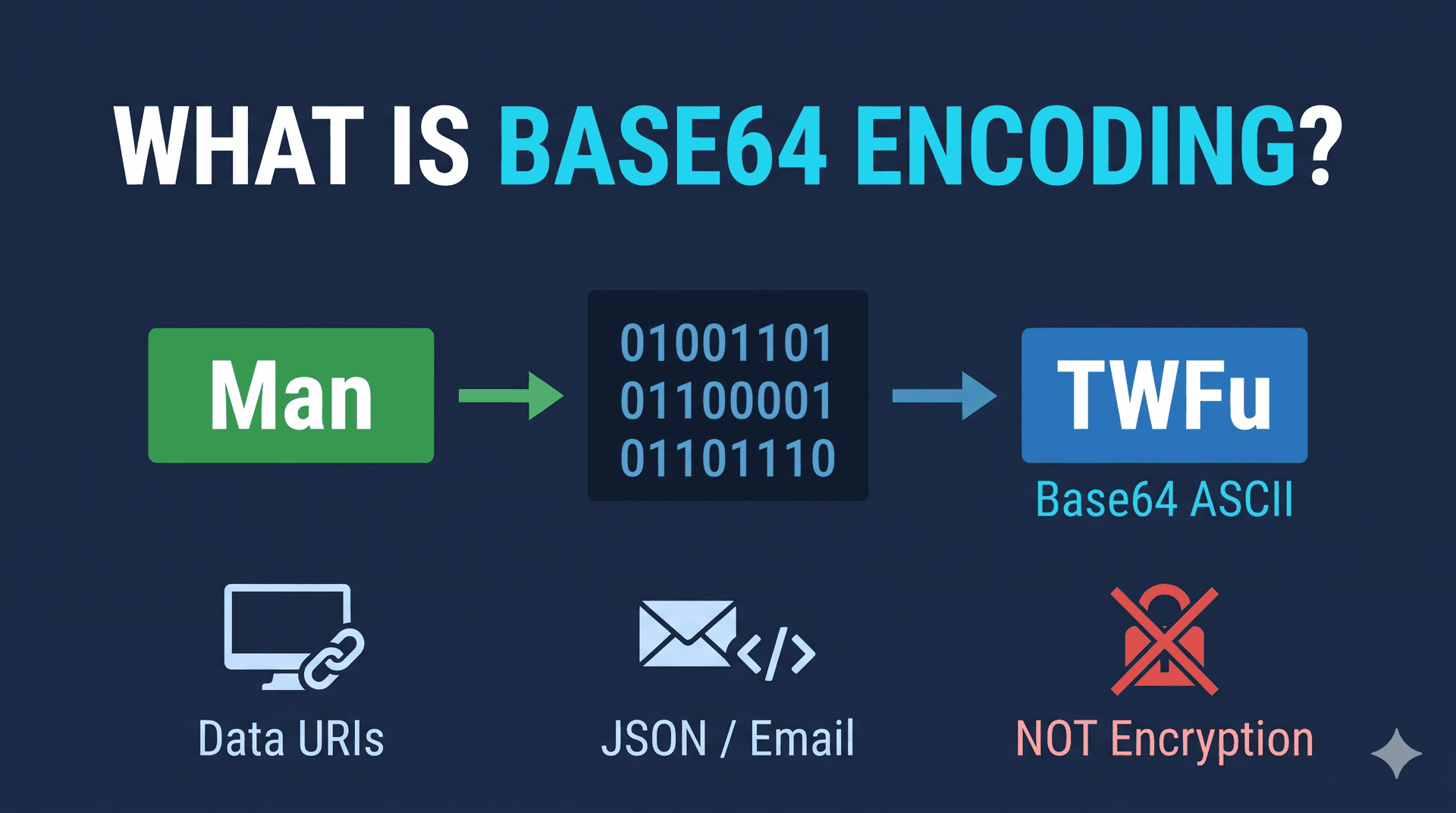
Example: Encoding "Man"
Original Text: "Man"

1. ASCII Representation:
   M: 77 (01001101)
   a: 97 (01100001)
   n: 110 (01101110)

2. Concatenate Bits (3 bytes = 24 bits):
   01001101 01100001 01101110

3. Divide into 6-bit Chunks:
   010011 010110 000101 101110

4. Convert 6-bit Chunks to Decimal:
   010011 (19)
   010110 (22)
   000101 (5)
   101110 (46)

5. Map to Base64 Alphabet:
   19 → T
   22 → W
   5 → F
   46 → u

Result: "TWFu"
This process results in an encoded string that is approximately 33% larger than the original binary data due to the 3-byte to 4-character conversion. This size increase is a tradeoff for compatibility and safe transmission.
When to Use Base64
Base64 is a valuable tool in several scenarios where binary data needs to traverse text-based systems:
-
Embedding Images in HTML/CSS
Small images or icons can be embedded directly into HTML or CSS files using data URIs (Uniform Resource Identifiers). This reduces the number of HTTP requests a browser needs to make, potentially speeding up page load times for minor assets. For example:
<img src="data:image/png;base64,iVBORw0KGgoAAAANSUhEUgAAAAUAAAAFCAYAAACNbyblAAAAHElEQVQI12P4//8/w38GIAXDIBKE0DHxgljNBAAO9TXL0Y4OHwAAAABJRU5ErkJggg==" alt="Red dot"> -
Transmitting Binary Data Over Text Protocols
Protocols like HTTP (especially in JSON or XML payloads), email (MIME), or configuration files are primarily text-based. If you need to send a file, a cryptographic key, or any raw binary data through these channels, Base64 ensures the data isn't corrupted by character set conversions or control characters. Common use cases include:
- API requests where binary files are sent in a JSON body.
- Storing small binary objects in text-based databases or configuration files.
- Sending email attachments, where MIME (Multipurpose Internet Mail Extensions) relies on Base64 for non-textual content.
-
Obfuscating Simple Values
While Base64 is not encryption, it can provide a very mild form of obfuscation for data that might be inadvertently visible. For instance, some system identifiers or simple configuration parameters might be Base64-encoded to prevent casual reading, making them appear less like plain text. However, this offers no real security.
-
URL-Safe Encoding
The standard Base64 alphabet includes
+and/, which have special meanings in URLs. A URL-safe variant replaces these characters with-and_respectively, and sometimes removes the=padding, making the encoded string suitable for use in URL parameters without further URL encoding.Original Base64: SGVsbG8/IA== URL-Safe Base64: SGVsbG8_IA
When NOT to Use Base64
Despite its utility, Base64 is not a panacea and has situations where its use is inappropriate or introduces unnecessary overhead:
-
Large Files
Due to the ~33% size increase, encoding large files (e.g., multi-megabyte videos or archives) with Base64 significantly increases bandwidth consumption and storage requirements. For large binary data, it's almost always better to transfer the file directly via a protocol designed for binary data (like FTP or dedicated file upload services) or use multipart form data in HTTP requests.
-
Performance-Critical Scenarios
Encoding and decoding operations consume CPU cycles. While typically fast for small amounts of data, this overhead can become noticeable in highly performance-critical applications or when processing a very large volume of data continuously.
-
For Security (It's NOT Encryption)
This is crucial: Base64 offers absolutely no cryptographic security. It merely changes the representation of data, making it readable by anyone who knows or suspects it's Base64. Relying on Base64 for security is a common and dangerous misconception.
Base64 is NOT Encryption
It's vital to understand that Base64 encoding is not encryption. This is a common misunderstanding, particularly among beginners, and can lead to severe security vulnerabilities if mistaken for a protective measure.
-
What Encryption Does:
Encryption transforms data into an unreadable format (ciphertext) using a secret key and a complex algorithm. Without the correct key, it is computationally infeasible to revert the ciphertext back to its original form (plaintext). Encryption's goal is to ensure confidentiality.
-
What Base64 Does:
Base64 simply re-encodes binary data into a text format using a publicly known, deterministic algorithm. There is no secret key involved. Anyone can convert Base64-encoded data back to its original binary form using a standard Base64 decoder. Its goal is data integrity during transmission, not confidentiality.
Think of it like putting a document into a different language. If everyone knows that language, it's not a secret, just a different way of saying the same thing. Encryption is like putting the document in a locked safe that only you have the key to.
Therefore, never use Base64 to protect sensitive information such as passwords, API keys, or personal data. Always employ robust encryption techniques (e.g., AES, RSA, TLS/SSL) when confidentiality is required.
Practical Examples Across Languages
Most modern programming languages and command-line tools offer built-in or readily available functions for Base64 encoding and decoding.
Python
import base64

data = "Hello, Base64!"

# Encode
encoded_bytes = base64.b64encode(data.encode('utf-8'))
encoded_string = encoded_bytes.decode('utf-8')
print(f"Encoded: {encoded_string}") # Output: Encoded: SGVsbG8sIEJhc2U2NCE=

# Decode
decoded_bytes = base64.b64decode(encoded_bytes)
decoded_string = decoded_bytes.decode('utf-8')
print(f"Decoded: {decoding_string}") # Output: Decoded: Hello, Base64!
JavaScript (Browser & Node.js)
const data = "Hello, Base64!";

// Encode (Browser - btoa for ASCII/Latin-1 strings)
// For UTF-8, you might need to convert to Latin-1 first or use TextEncoder/TextDecoder
const encodedStringBrowser = btoa(unescape(encodeURIComponent(data)));
console.log(`Encoded (Browser): ${encodedStringBrowser}`); // Output: Encoded (Browser): SGVsbG8sIEJhc2U2NCE=

// Decode (Browser)
const decodedStringBrowser = decodeURIComponent(escape(atob(encodedStringBrowser)));
console.log(`Decoded (Browser): ${decodedStringBrowser}`); // Output: Decoded (Browser): Hello, Base64!

// Encode (Node.js)
const encodedStringNode = Buffer.from(data).toString('base64');
console.log(`Encoded (Node.js): ${encodedStringNode}`); // Output: Encoded (Node.js): SGVsbG8sIEJhc2U2NCE=

// Decode (Node.js)
const decodedStringNode = Buffer.from(encodedStringNode, 'base64').toString('utf8');
console.log(`Decoded (Node.js): ${decodedStringNode}`); // Output: Decoded (Node.js): Hello, Base64!
Command Line (Linux/macOS)
# Encode a string
echo -n "Hello, Base64!" | base64
# Output: SGVsbG8sIEJhc2U2NCE=

# Decode a string
echo -n "SGVsbG8sIEJhc2U2NCE=" | base64 --decode
# Output: Hello, Base64!

# Encode a file
base64 input.txt > output.b64

# Decode a file
base64 --decode output.b64 > decoded_input.txt
Key Takeaways
- Base64 converts binary data into a text-safe string format using a 64-character alphabet and padding.
- It primarily ensures data integrity when transmitting binary data over text-oriented systems like HTTP, email, or XML.
- Common uses include embedding small images in web pages, transmitting API keys in headers, or storing small binary blobs in text databases.
- Avoid using Base64 for large files due to the ~33% size increase and associated performance overhead.
- Base64 is NOT encryption. It offers no security or confidentiality and should never be used to protect sensitive data.
- Most programming languages and command-line tools provide straightforward ways to perform Base64 encoding and decoding.
Advertisement